![oxfordrisk.zendesk.comhctheming_assets01HZPK08F39VSQFMWBN7WG19VM.png]](https://help-centre.oxfordrisk.com/hs-fs/hubfs/social-suggested-images/oxfordrisk.zendesk.comhctheming_assets01HZPK08F39VSQFMWBN7WG19VM.png?height=40&name=oxfordrisk.zendesk.comhctheming_assets01HZPK08F39VSQFMWBN7WG19VM.png)
Only Admin users can edit, archive, reactivate and delete users. Is also important to mention that, in order to delete a user, you first need to archive them. Please see below instructions for:
Please note - Selecting a mix of active and archived users at once won't offer any bulk action. Narrow your selection to one status first.
Edit a user
- Open the account menu, select **Users and groups**, then choose the relevant user type.
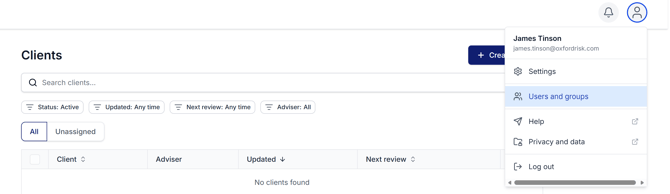
-
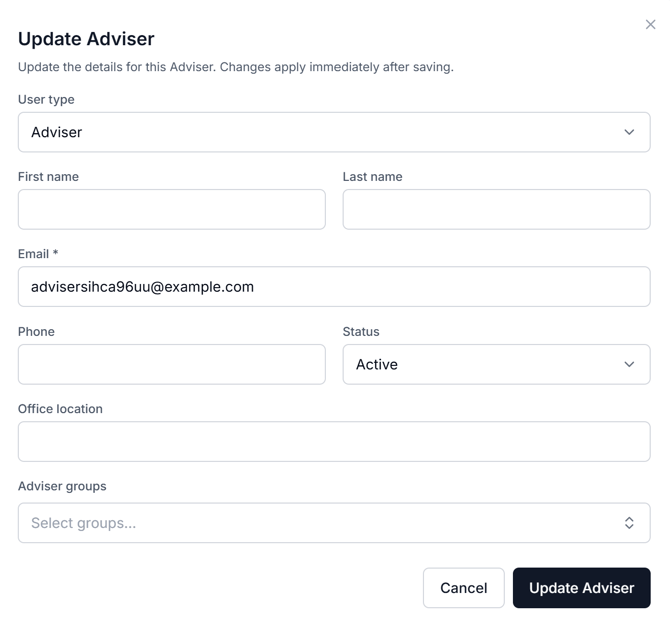
Search for and click on the user's name and click Edit Details

- Make the desired changes and click Update Adviser/Admin/Assistant
Archive users
- As above, open the account menu, select **Users and groups**, then choose the relevant user type.
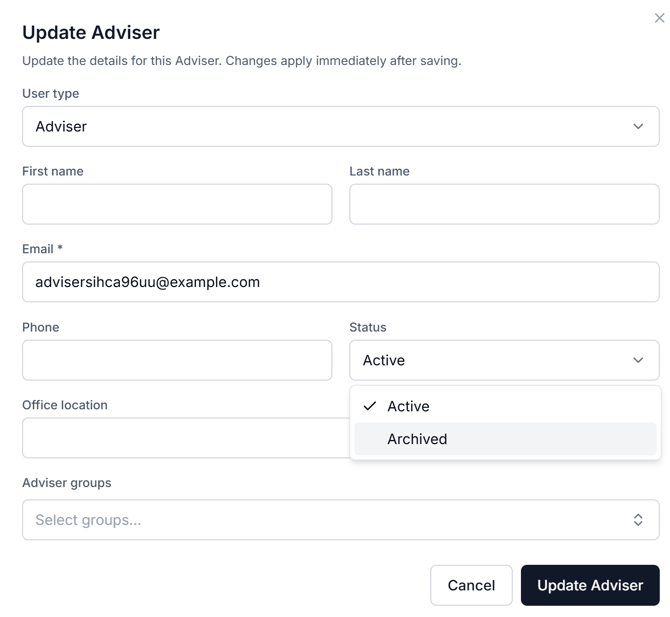
- Search for and click on the user's name and click Edit Details
- In the Status section, select "Archive" from the dropdown, then click Update.
Bulk archive users
- You can also archive multiple users at the same time. Simply follow step 1 of the above instructions. Once you are on the list of users, simply tick the box on the left side of the users you want to archive. You will see a blue menu appear at the top of the list. Click on Archive advisers
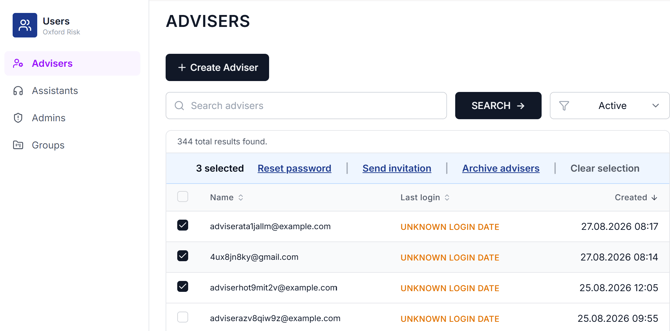
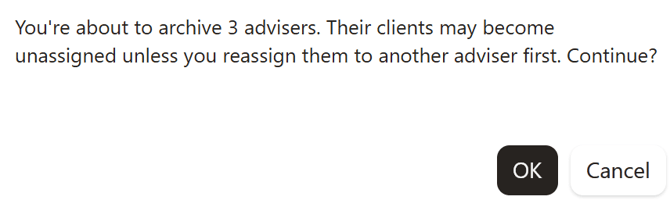
- You will then see a pop up message. Click OK
Delete users
Please be aware that deleting users is an irreversible action.
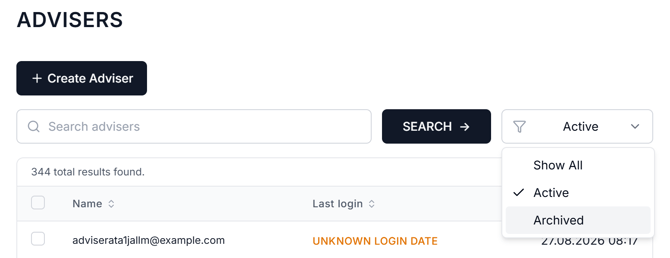
- Once you have Archived a user, you can delete them permanently. Follow the instructions above until you arrive at the user whose profile you wish to delete. You will need to filter by 'Archived' to find them.
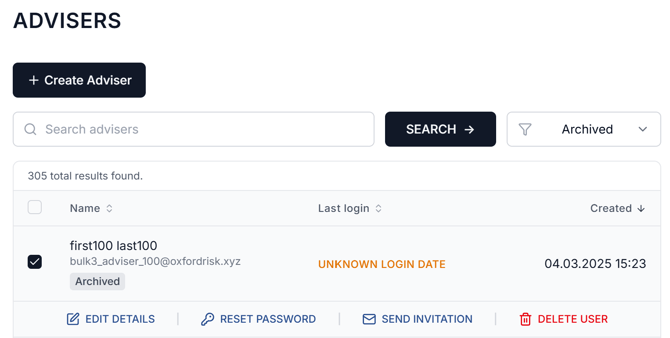
- Click on the user's name/email address and select Delete User
Delete multiple users
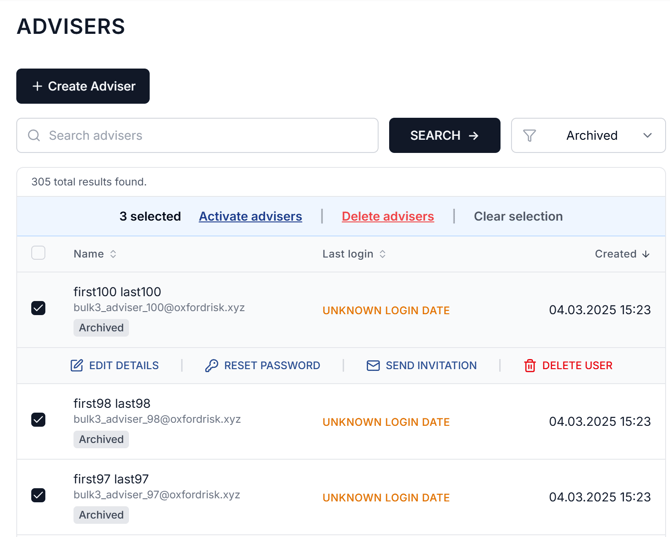
- As with the archive action, you can also delete multiple users in bulk. Simply filter the list by Archived users and follow the Bulk Archive Users process, this time selecting Delete Advisers/Admins/Assistants
Re-activate Archived Users
- Once you have filtered your list to only show archived users, click on the name, then click Edit Details and change the status from archive to active. After that click on Update Adviser to save the changes
- You can also do this in bulk. Once you are on the list of archived users, tick the box next to the names you want to reactivate and you will see a menu appear on the top of the list. Click Activate Advisers.