Admins can configure single sign-on for their team and choose which client personal information is collected, on the Security & Privacy page, under Settings .
Single Sign-On (SSO)
Let users sign in with your identity provider over SAML 2.0. Once SSO has been configured with your identity provider, use the Enable SSO toggle on this page to switch it on. Once enabled, advisers will be redirected to your identity provider to sign in.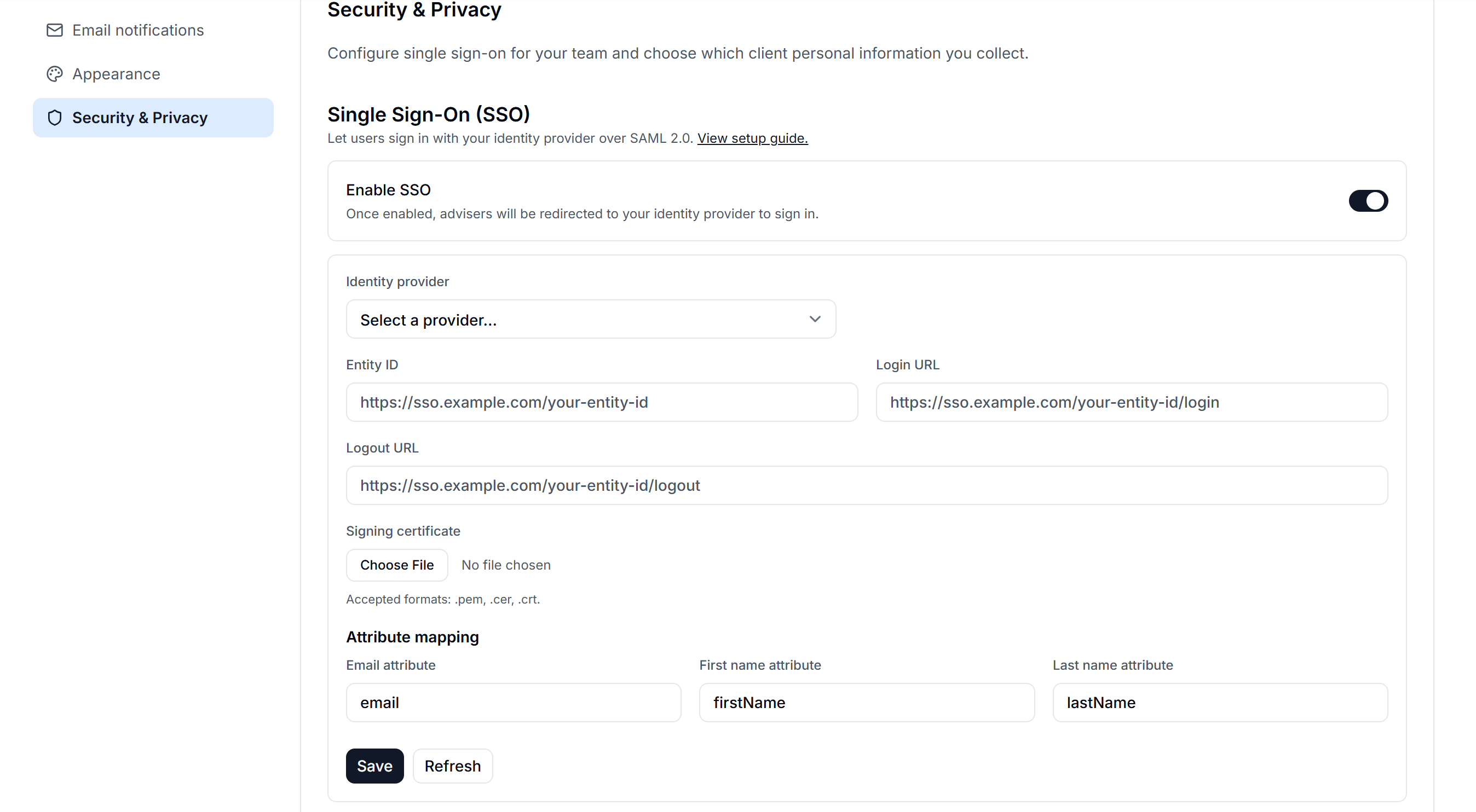
Client data fields
Choose which client information is captured, what clients can edit, and which field is used as the canonical name.
Use the Collect client personal information toggle to control whether client PII is stored at all. When disabled, no client data fields are stored.
Below this, you'll see a table of all client data fields, each with:
- An Active toggle, to control whether the field is captured at all
- A Clients can edit toggle, to control whether clients can update the field themselves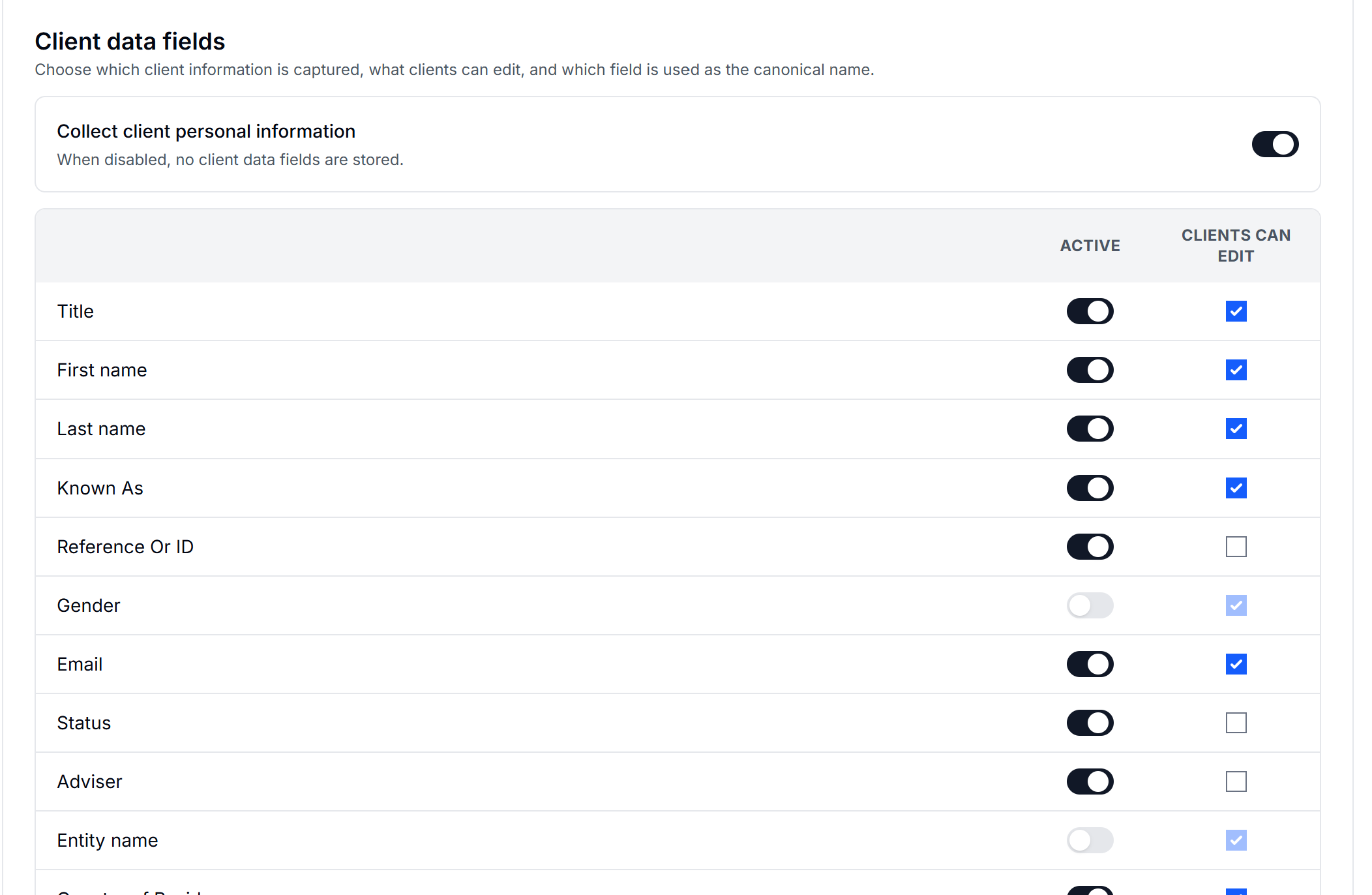
Press Add new field to create a custom client data field. Once you're happy with your changes, press Save changes.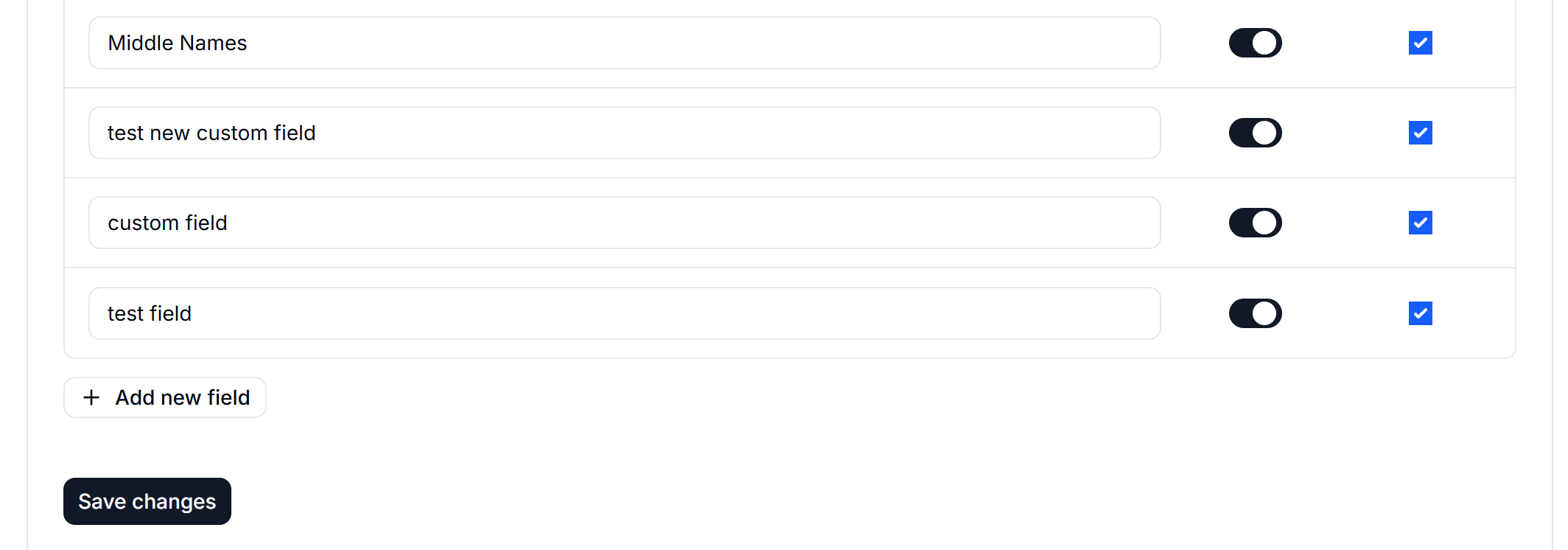
English
![oxfordrisk.zendesk.comhctheming_assets01HZPK08F39VSQFMWBN7WG19VM.png]](https://help-centre.oxfordrisk.com/hs-fs/hubfs/social-suggested-images/oxfordrisk.zendesk.comhctheming_assets01HZPK08F39VSQFMWBN7WG19VM.png?height=40&name=oxfordrisk.zendesk.comhctheming_assets01HZPK08F39VSQFMWBN7WG19VM.png)