![oxfordrisk.zendesk.comhctheming_assets01HZPK08F39VSQFMWBN7WG19VM.png]](https://help-centre.oxfordrisk.com/hs-fs/hubfs/social-suggested-images/oxfordrisk.zendesk.comhctheming_assets01HZPK08F39VSQFMWBN7WG19VM.png?height=40&name=oxfordrisk.zendesk.comhctheming_assets01HZPK08F39VSQFMWBN7WG19VM.png)
This article is intended for admins who are looking to create new users. To learn more about users and their permissions, read the user permissions article.
Creating a new user individually
-
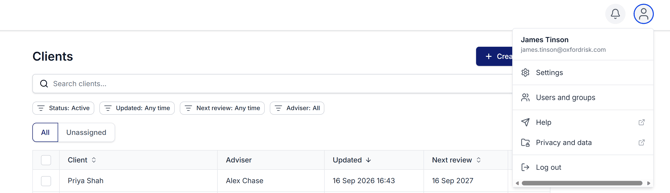
Open the account menu and select Users and groups.
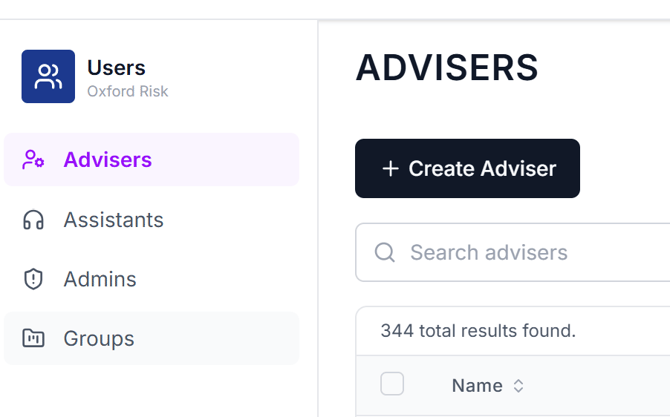
. - Choose the tab for the type of user you want to create — Advisers, Assistants, or Admins. Press Create Adviser (or Create Assistant / Create Admin, depending on the tab).
-
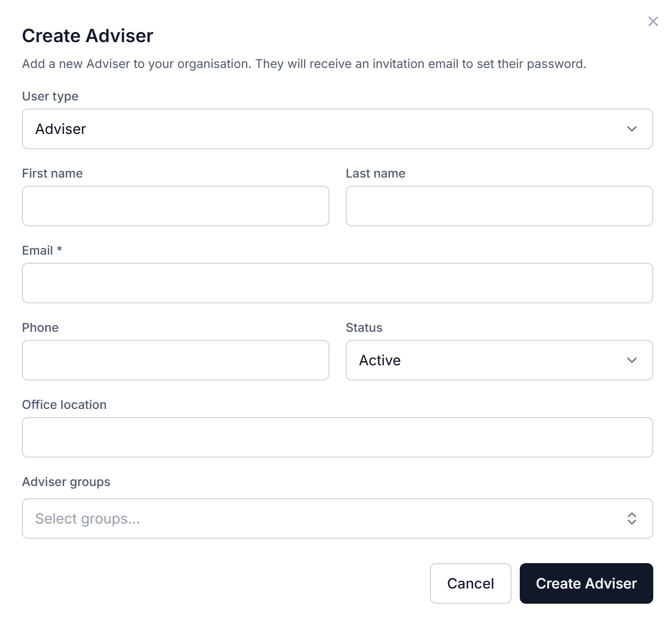
Fill in the required details and click Create Adviser/Admin/Assistant. The user will then automatically receive an email inviting them to set their password and the new user's status shows as Invited.
- You can search the list of Advisers at any point, by name or email, and filter by status (Active, Archived, or All — Active is the default).